
Best Pin Design Tools for Scaling Bloggers in 2026 (Tested Across 4 Blogs and 4.4M Monthly Views)
The best pin design tools for scaling bloggers in 2026 are Pin Generator for bulk creation, Canva Pro for creative flexibility, Adobe Express for Adobe users, PicMonkey for photo-heavy editing, and Tailwind Create for all-in-one scheduling. Bloggers earning from Pinterest traffic publish 30–50 fresh pins per article monthly, which makes pin creation speed a direct revenue lever. The right tool depends less on features and more on how many pins you need to produce per week.
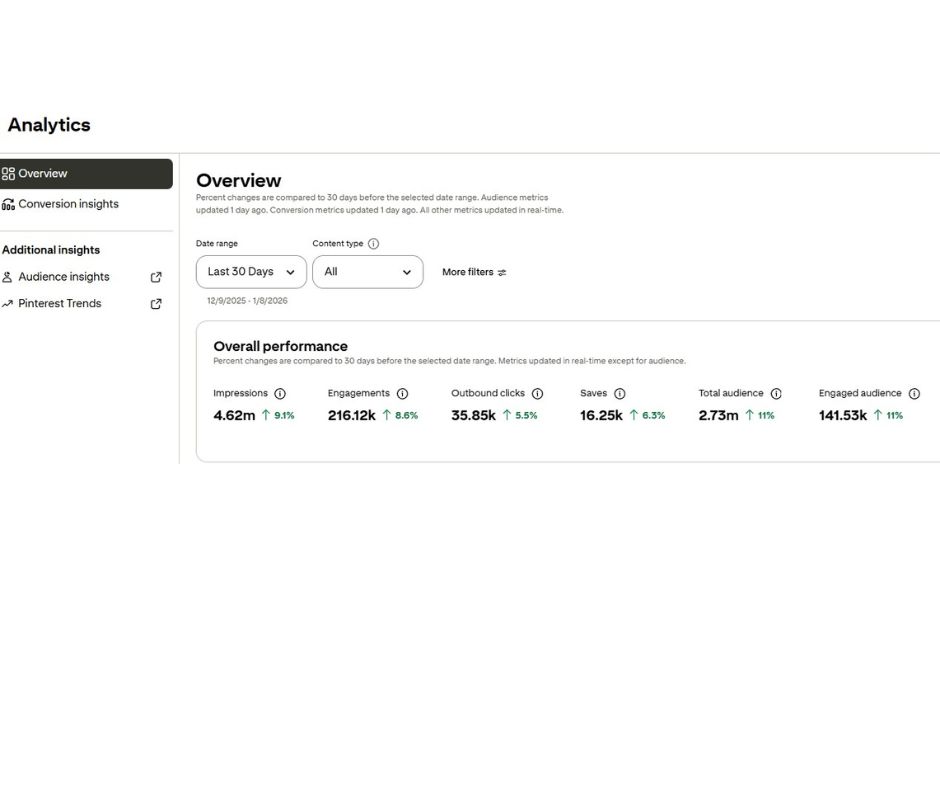
Running four blogs and producing 160+ fresh Pinterest pins every week has taught me one thing fast: your pin design tool is not a creative choice. It’s a production pipeline decision.
At 4.4 million monthly Pinterest views (with a peak north of 5M), the bottleneck is never ideas. It’s the hours between “article published” and “40 pins scheduled.” The wrong tool turns that into a weekend. The right one turns it into a 90-minute session.
In my opinion, most pin design comparison articles get this completely backwards. They rank tools by features, templates, and export quality, as if a hobby blogger and a scaling blogger need the same thing. They don’t. A blogger producing three pins a week values creative freedom. A blogger producing forty pins per article values speed, batching, and automation.
This guide ranks five tools by who they’re actually best for — not by which one is “the best.” Because that question has no universal answer.
If you’re just starting out and haven’t hit your first 10K Pinterest views yet, this guide on getting to 10K fast walks through the foundations you need before choosing a tool: HOW I GOT MY FIRST 10K MONTHLY VIEWS FAST ON PINTEREST
Article contains affiliate links.
Quick Comparison: Best Pin Design Tools at a Glance
[COMPARISON TABLE]
| Tool | Best For | Starting Price | Bulk Capability | Learning Curve |
|---|---|---|---|---|
| Pin Generator | Scaling bloggers (bulk production) | Free tier + paid plans | Excellent – designed for volume | Low |
| Canva Pro | Beginners & creative flexibility | $12.99/mo | Good (with Bulk Create) | Low |
| Adobe Express | Adobe ecosystem users | $9.99/mo | Moderate | Medium |
| PicMonkey | Photo editing + pin design combined | $7.99/mo | Limited | Low |
| Tailwind Create | Tailwind users wanting all-in-one | $14.99/mo | Good | Low |
What Actually Matters When You’re Scaling Pinterest
Before ranking the tools, it’s worth naming what “scaling” actually demands from a pin design tool. This is the filter I use when evaluating anything new — and it’s why the ranking below differs so much from generic roundups.
The first factor is bulk creation speed. Producing a single beautiful pin is easy in any tool. Producing forty variations of that pin — different headlines, different layouts, different color schemes — is where most tools fall apart. Templates help, but only if you can apply them in batch rather than one at a time.
The second factor is text customization at scale. Pinterest rewards fresh pins, which means forty pins per article need forty different hooks, not one hook repeated forty times. A tool that lets you paste a list of headlines and auto-generate a pin per headline saves hours per article.
The third factor is output consistency. When you’re producing this volume, you can’t hand-check every pin. The tool needs to produce on-brand output by default, without you manually adjusting spacing, font size, or image cropping on each one.
Generic design tools (Canva, PicMonkey, Adobe Express) are optimized for the first problem. They give you creative flexibility and beautiful individual pins. Pinterest-specific tools (Pin Generator, Tailwind Create) are optimized for the second and third. They give up some creative freedom in exchange for production speed.
1. Pin Generator — Best for Scaling Bloggers

Personally, Pin Generator is what I use every single day to produce 40+ pins per article across all four of my blogs. After testing every tool on this list, this is the one that actually matches how scaling bloggers work.
The core feature is exactly what the name suggests: you paste a list of pin text variations, pick a template, and it generates all of them in one batch. What takes two hours in Canva takes fifteen minutes here. For a blogger publishing three to five articles per week, that’s the difference between Pinterest being sustainable and being a full-time job.
The templates are Pinterest-optimized out of the box, which matters more than it sounds. Generic design tools let you make beautiful pins that underperform on Pinterest because the text is too small, the contrast is wrong, or the image ratio doesn’t match what the Pinterest algorithm rewards. Pin Generator’s templates are built around the click-through rate patterns Pinterest actually rewards, not what looks good in a design portfolio.
What it gives up is creative freedom. You’re not designing magazine covers here. The templates are clean, high-converting, and fast — not the place for artistic experimentation. For a scaling blogger this is a feature, not a limitation. Decision fatigue is the enemy of consistent publishing, and this tool removes it.
Pricing: Free tier available; paid plans scale with volume.
Best for: Bloggers producing 20+ pins per week, multi-blog operators, anyone whose Pinterest strategy depends on fresh pin volume rather than individual pin craftsmanship.
My pick for: Everyone reading this, honestly. If you’re at 100K+ monthly views and still designing pins one at a time in Canva, this tool pays for itself in a week.
2. Canva Pro — Best for Beginners and Creative Flexibility

Canva Pro is the tool most bloggers start with, and for good reason. The template library is enormous, the drag-and-drop interface is genuinely intuitive, and the creative ceiling is high enough that you can build a distinctive brand aesthetic without hiring a designer.
For a blogger in the zero-to-10K-views phase, Canva Pro is arguably the best choice on this list. At that stage, you’re still figuring out what your pin style looks like, which hooks convert for your niche, and what visual patterns work for your audience. Canva’s flexibility lets you experiment without committing to a template system.
The Bulk Create feature (available on Pro) handles moderate batching — you can connect a spreadsheet of text and generate pins in batches. It works, but it’s clunky compared to tools built specifically for bulk Pinterest output. The feature feels like an afterthought rather than the core of the product.
Where Canva genuinely shines beyond pin design is everything else: Instagram graphics, blog featured images, lead magnet PDFs, email headers, YouTube thumbnails. If you’re building a full content brand, Canva Pro earns its monthly fee on non-Pinterest work alone.
Pricing: $12.99/month individual, $29.99/month team.
Best for: New bloggers, multi-platform creators, anyone who values design flexibility over Pinterest-specific speed.
My take: I still keep a Canva Pro subscription for non-Pinterest work. But for daily pin production at scale, it’s not the right hammer for the nail.
If you’re still in the early stages of setting up your Pinterest strategy, the fundamentals of Pinterest SEO for beginners matter more than which design tool you pick: PINTEREST SEO FOR BEGINNERS
3. Adobe Express — Best for Adobe Ecosystem Users
Adobe Express is the quiet dark horse of pin design. If you’re already paying for Adobe Creative Cloud — for Photoshop, Lightroom, or Illustrator — Adobe Express is often included or available at a steep discount, which changes the math considerably.
The template quality is excellent, particularly for bloggers in aesthetic-heavy niches (fashion, travel, home decor). Adobe’s design heritage shows up in the typography pairings and color palettes — they feel more editorial and less “social media generic” than Canva’s defaults.
Where it loses ground for scaling bloggers is bulk workflow. Adobe Express was built as a consumer-friendly entry point to the Adobe ecosystem, not as a volume production tool. You can produce beautiful individual pins quickly, but producing forty variations requires significantly more manual work than in a Pinterest-specific tool.
The Generative AI features (text-to-image, generative fill) are strong and improving fast — notably better than Canva’s equivalents in my experience. For bloggers who want to create custom imagery rather than relying on stock photos, this is a real differentiator.
Pricing: $9.99/month; often included with Creative Cloud.
Best for: Existing Adobe subscribers, aesthetic-heavy niches, bloggers who value editorial-quality typography.
4. PicMonkey — Best for Photo Editing Plus Pin Design
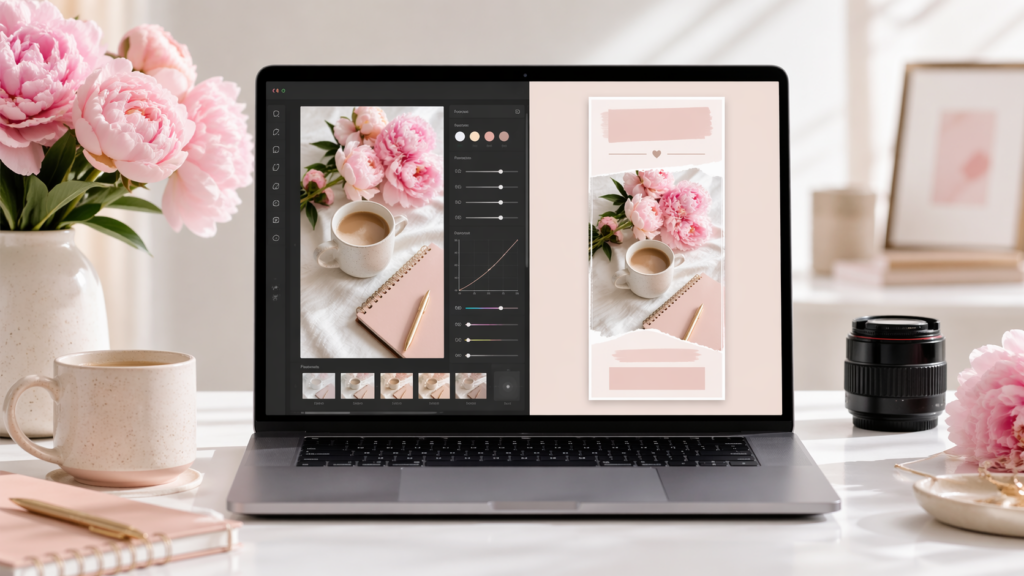
PicMonkey occupies a specific niche: it’s a photo editor first, pin designer second. For bloggers who shoot their own photography — lifestyle, food, fashion, travel — this combination is genuinely useful. You can retouch, crop, and color-grade the photo, then build a pin around it in the same tool, without bouncing between apps.
The pin templates are solid, if less extensive than Canva’s library. Where PicMonkey earns its spot is in the editing side: background removal, touch-up tools, and texture overlays are noticeably stronger than in pin-first tools.
For bloggers who don’t shoot their own photos — bloggers who rely on stock imagery or AI-generated visuals — PicMonkey’s photo editing strengths are wasted. In that case, the pin-side weaknesses relative to Canva or Pin Generator make it hard to justify.
Pricing: $7.99/month basic, $12.99/month pro.
Best for: Bloggers producing original photography, lifestyle and food niches, anyone wanting photo editing and pin design in one tool.
5. Tailwind Create — Best for Tailwind Users
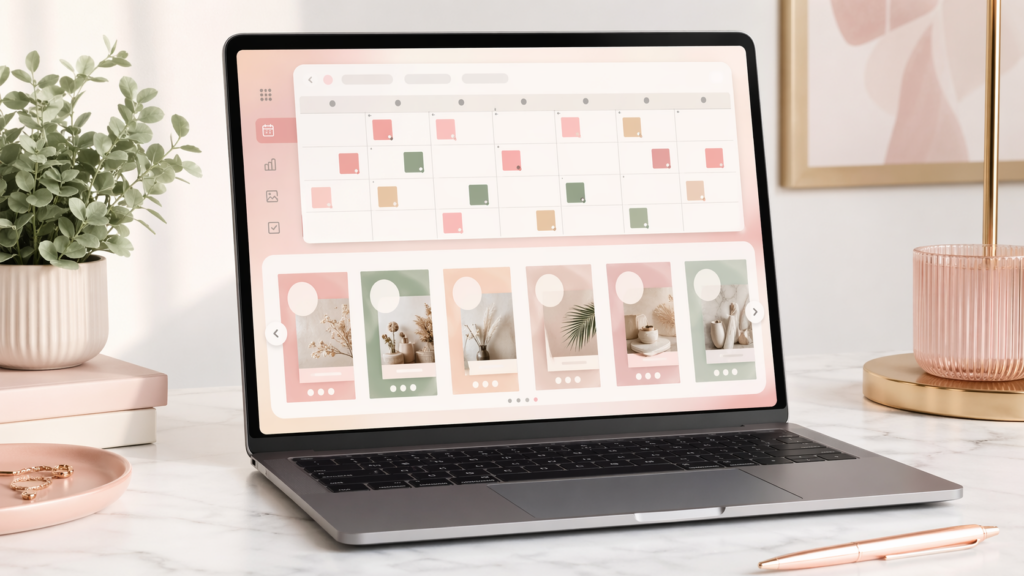
Tailwind Create is the pin design feature built into the Tailwind Pinterest scheduler. If you’re already paying for Tailwind to schedule your pins (and many scaling bloggers do), Tailwind Create lets you generate pin variations without leaving the platform.
The appeal is workflow consolidation. Paste your article URL, and Tailwind Create produces multiple pin variations pulling headlines and imagery from the post. From there, you schedule directly. One login, one pipeline, fewer tabs.
The downside is that the pin quality is good-not-great compared to dedicated design tools. The templates work, but they have a distinct “Tailwind look” that’s recognizable across accounts. If brand differentiation matters to you, this is worth considering.
Pricing: Starts at $14.99/month (includes scheduler).
Best for: Current Tailwind users, bloggers who value workflow consolidation over design differentiation.
How to Choose: A Practical Decision Framework
Rather than “which tool is best,” the honest question is: what’s your weekly pin volume, and what’s your design skill level?
If you’re producing fewer than 20 pins per week and you’re still developing your visual brand, Canva Pro or Adobe Express are the right choice. You need flexibility more than speed.
If you’re producing 20+ pins per week across one or more blogs, Pin Generator is what I’d recommend without hesitation. The time savings compound weekly, and at scale, a tool that shaves an hour off every article is worth more than a tool with prettier templates.
If you’re shooting your own photography, PicMonkey’s integrated photo editing is genuinely valuable. If you’re already committed to Tailwind, Tailwind Create removes a tab from your workflow.
The worst choice you can make is not picking at all. Bloggers who alternate between tools mid-campaign produce inconsistent pin aesthetics, which hurts both Pinterest performance and brand recognition. Pick one primary tool for bulk production, pick a secondary tool for creative one-offs, and stick with them.
Once you have your pin design workflow locked in, the next bottleneck becomes image sourcing — which AI image tools give you Pinterest-ready visuals at volume matters almost as much as the design tool itself: 20 FAST WAYS TO MAKE MONEY WITH AI TOOLS
Frequently Asked Questions
What is the best free pin design tool for bloggers?
Canva’s free tier and Pin Generator’s free tier are the strongest free options. Canva offers more creative flexibility, while Pin Generator’s free tier is specifically optimized for Pinterest output. Bloggers testing tools should try both before committing to a paid plan, since the right choice depends on weekly pin volume rather than feature count.
How many Pinterest pins should I make per blog post?
Scaling bloggers typically produce 20–50 fresh pin variations per blog post, scheduled over several weeks. The exact number depends on niche competitiveness and publishing frequency. Pinterest’s algorithm rewards fresh pin volume more than individual pin perfection, which is why bulk creation tools outperform single-pin design workflows at scale.
Is Canva better than Pin Generator for Pinterest?
Canva offers more creative flexibility, while Pin Generator offers faster bulk production. For bloggers under 10,000 monthly Pinterest views, Canva is typically the better starting point. For bloggers above 100,000 monthly views producing multiple pins per article, Pin Generator’s bulk capabilities justify the switch.
Can I use AI image tools with these pin design tools?
Yes. Most scaling bloggers generate images in AI tools like Ideogram or Midjourney, then import them into their pin design tool. Pin Generator, Canva, and Adobe Express all support image imports, letting you combine AI-generated visuals with on-brand pin templates.
Do I need a paid plan to make money with Pinterest?
No, though paid plans significantly improve production speed. Many bloggers start on free tiers and upgrade once their Pinterest traffic justifies the monthly cost. The math works when a single converting affiliate sale or a month of Mediavine earnings covers the subscription.
Final Take
After testing all five tools across four blogs and producing thousands of pins over the last year, my honest ranking for scaling bloggers specifically stays the same: Pin Generator first for daily production, Canva Pro second for brand flexibility and non-Pinterest assets, and the rest as situational choices based on your specific stack.
The single most important thing is to pick one primary tool and stop switching. Consistency compounds on Pinterest. A blogger producing 40 mediocre-but-on-brand pins per week beats a blogger producing 10 perfect-but-inconsistent pins per week, every time.
If you’re ready to stop designing pins one at a time, here’s where I’d start: